

Download SpeedyFox – Fast Firefox Optimization Tool
Overview
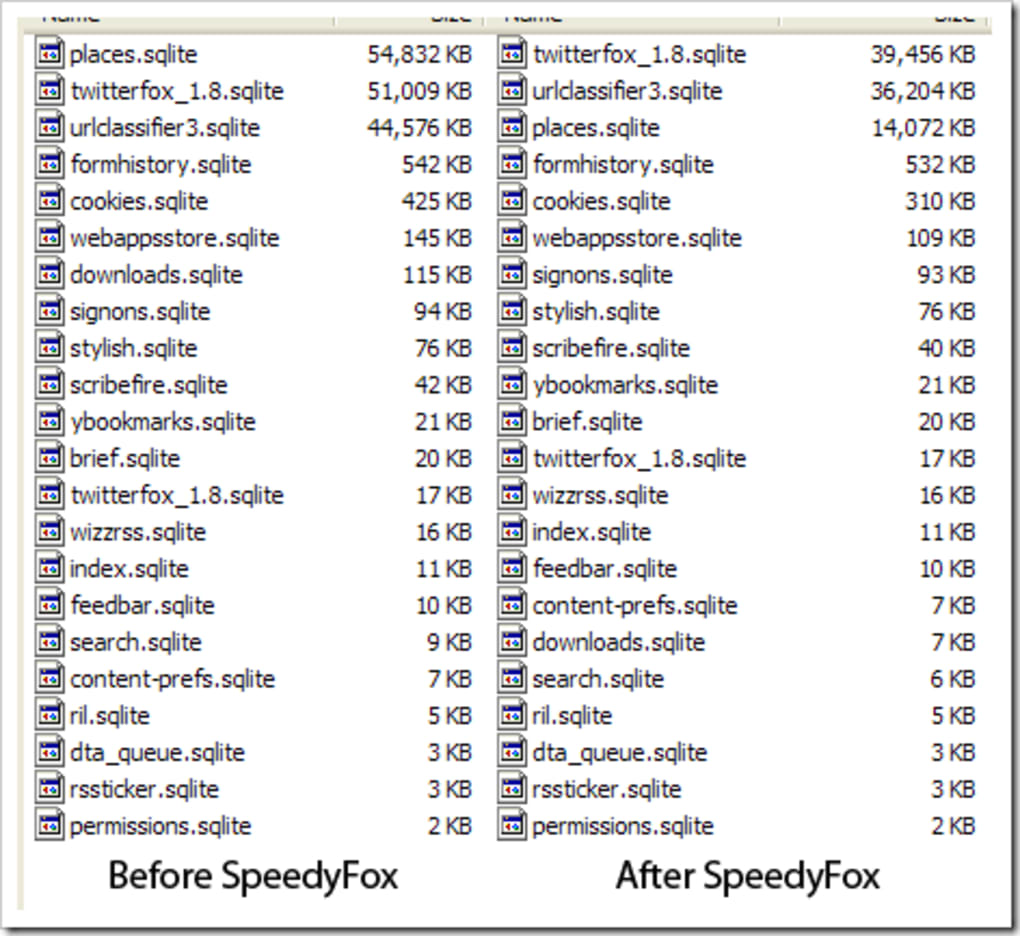
SpeedyFox is a lightweight, single‑window utility designed to give Mozilla Firefox a noticeable performance lift without the hassle of complex settings or risky registry tweaks. By targeting the SQLite databases that store cookies, history, and other browsing metadata, SpeedyFox defragments and reorganises these files so that Firefox can read them faster on launch and during normal operation. The developers promise a “no‑options, click‑and‑go” experience: you select the Firefox profile you want to optimise, hit a bright “Speed Up My Firefox!” button, and within seconds the tool reports that the browser is now optimised.
While the programme requires Firefox to be closed while it works, it assures users that private data such as passwords and saved logins remain untouched. The real‑world benefit is modest—a few seconds shaved off start‑up time and smoother navigation—but for users frustrated by a sluggish browsing experience, that improvement can feel like a fresh start. SpeedyFox runs on any Windows system that supports Firefox, and the latest update includes a newer SQLite engine (v3.7.4) and an optional command‑line switch to launch Firefox automatically after optimisation.
Core Features and How They Work
- Automatic SQLite Defragmentation: Re‑orders the internal pages of Firefox’s history, cookies, and places databases to minimise disk seeks.
- Profile‑Specific Optimisation: Lets you pick any installed Firefox profile, ensuring the right set of databases is processed.
- One‑Click Interface: No advanced settings, checkboxes, or hidden parameters—just a single button to start the optimisation.
- Safe Data Handling: The tool reads and rewrites database files without altering user credentials, saved passwords, or extensions.
- Post‑Optimisation Launch Option: An optional setting (or command‑line flag) automatically re‑opens Firefox once the process completes.
- Updated SQLite Engine: Incorporates SQLite 3.7.4, delivering better compatibility with newer Firefox releases.
- Portable Execution: Runs directly from the downloaded EXE; no installer is required, making it easy to use on multiple machines.
Under the hood, SpeedyFox opens each relevant SQLite file in read‑write mode, runs the VACUUM command, and then saves the compacted version back to disk. This operation removes fragmented free space and rebuilds the internal B‑tree structures, which can become inefficient after months of browsing activity. Because the process is purely file‑system based, it does not interfere with Firefox’s runtime memory or extensions. Users have reported that start‑up times drop from around 7‑8 seconds to 4‑5 seconds on average, especially on older HDDs where seek latency is more pronounced. While the performance gain is not a complete overhaul, it provides a quick, risk‑free way to keep Firefox running smoothly without digging into about:config or installing heavyweight cleaning suites.
Installation, Setup & Compatibility
Getting SpeedyFox up and running is intentionally simple. Follow these steps for a hassle‑free experience:
- Download the executable: Click the “Download SpeedyFox” button on the official site. The file is a small
.exe(≈1.2 MB) that works on Windows 7, 8, 10 and 11. - Close Firefox: Ensure all Firefox windows are fully closed. SpeedyFox will refuse to run if it detects a running instance, protecting your profile from corruption.
- Run the program: Double‑click the downloaded file. No installation wizard appears; the interface launches immediately.
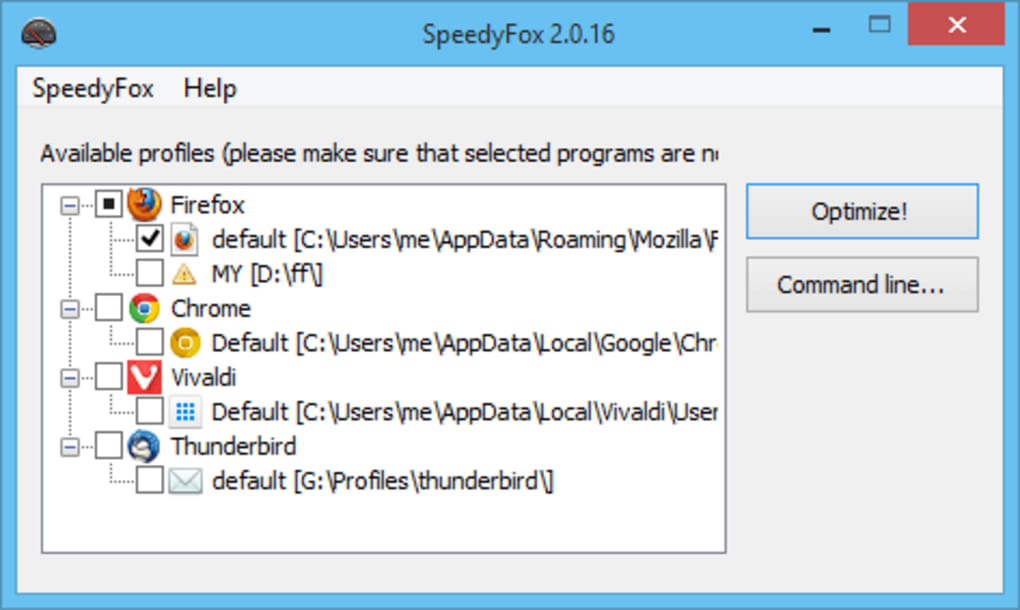
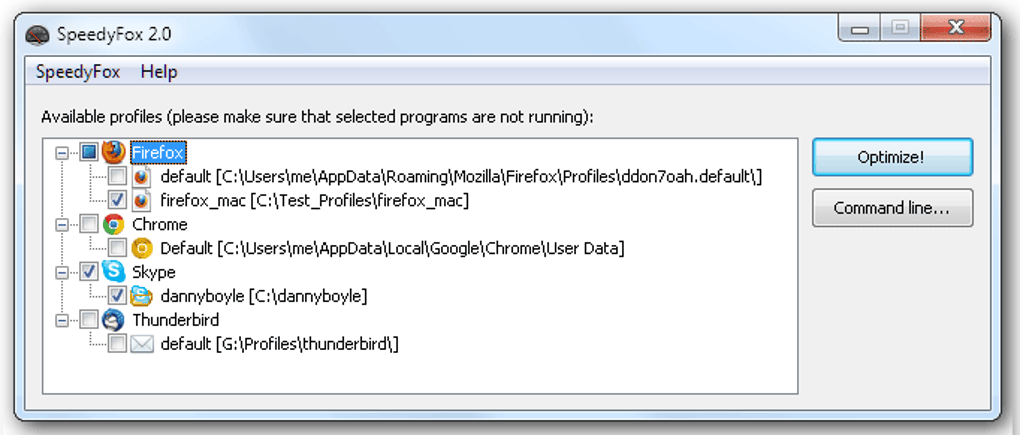
- Select your profile: Use the drop‑down menu to choose the Firefox profile you want to optimise. If you have multiple profiles, each will be listed with its file path.
- Start optimisation: Press the bright “Speed Up My Firefox!” button. The progress bar will fill within 5‑10 seconds, depending on the size of your databases.
- Optional launch: Check the “Launch Firefox after optimisation” box (or add
--runto the command line) if you want the browser to start automatically. - Verify results: Open Firefox and notice the quicker start‑up. You can also view the “Last Optimised” timestamp displayed in SpeedyFox.
SpeedyFox is built exclusively for the Windows operating system. It does not have native macOS, Linux, Android, or iOS versions, because the underlying SQLite optimisation routine relies on Windows‑specific file‑handling APIs. However, the concept could be adapted for other platforms with a compatible SQLite library. For Windows users, the tool works on both 32‑bit and 64‑bit environments, and it does not require administrative privileges—standard user rights are sufficient as long as the selected Firefox profile folder is writable.
Because SpeedyFox modifies files directly on disk, it is recommended to back up your Firefox profile folder before the first run, especially if you rely on custom extensions or have a heavily customised browsing environment. The backup can be as simple as copying the entire profile directory to another location or using Firefox’s built‑in “Create Backup” feature under “Help → Troubleshooting Information”. This precaution ensures you can restore your data if anything unexpected occurs, although the developers state that the utility has been tested extensively and is safe for everyday use.
Pros, Cons, FAQ & Final Verdict
Pros
- Extremely easy to use – one‑click optimisation.
- Fast execution – typically finishes in under 10 seconds.
- No installation required; portable executable.
- Preserves user data such as passwords, bookmarks, and extensions.
- Free to download and use for personal purposes.
- Updated SQLite engine improves compatibility with newer Firefox releases.
Cons
- Only available for Windows; no macOS or Linux version.
- Performance gains are modest – not a full browser overhaul.
- Lacks detailed reporting or logs of what was defragmented.
- Requires Firefox to be closed during optimisation.
- No built‑in scheduler for automatic periodic optimisation.
SpeedyFox delivers exactly what it promises: a quick, no‑frills way to tidy up Firefox’s SQLite databases and shave a few seconds off launch time. While power users may crave deeper diagnostics, the average browser‑owner will appreciate the simplicity and safety of a single‑click solution. The tool’s portability and free price point make it a handy addition to any Windows maintenance toolbox.
Frequently Asked Questions
Do I need to uninstall SpeedyFox after using it?
No. SpeedyFox is a portable executable; you can simply delete the .exe file when you’re done. It does not leave background services or registry entries.
Will SpeedyFox delete my bookmarks or passwords?
No. The tool only rewrites the SQLite database files that store history and cookies. Your bookmarks, saved passwords, and extensions remain untouched.
Can I run SpeedyFox on a network drive?
Yes, as long as you have read‑write permissions on the profile folder. The optimisation process works on any location accessible by Windows.
How often should I use SpeedyFox?
For most users, running the tool once every few months is sufficient. If you notice Firefox slowing down after heavy browsing or after installing many extensions, a quick optimisation can help.
Is there a command‑line version for automated scripts?
Yes. Adding the --run flag launches Firefox automatically after the optimisation finishes, which makes it suitable for batch scripts or scheduled tasks.
Conclusion & Call to Action
If you’re looking for a safe, free, and ultra‑simple method to give your Firefox browser a modest performance boost, SpeedyFox is worth a try. Its single‑window design removes the intimidation factor often associated with system‑tuning tools, and the underlying SQLite defragmentation works reliably on any Windows machine. While it won’t replace a full‑scale system clean‑up, it provides a quick win that can make everyday browsing feel fresher. Download SpeedyFox today, run the optimisation, and enjoy a snappier start‑up experience in just a few clicks.







